
Peptiva guide
Semaglutide Weight Tracker: Record Measurements and Weekly Context
Keep dates, units, measurement conditions and missing entries clear in a weekly weight record, with a fictitious example and no treatment conclusions.
Educational only. Not medical advice.
Record the measurement date, value and unit, then add any difference in the conditions or source. Once a week, check the records you already have for missing units, duplicates and uncertainty. The weekly review is an organizational habit, not an instruction to weigh daily or a test of semaglutide's effectiveness.
- Keep the original unit attached to every value.
- Label a different scale, time or data source.
- Leave days without measurements blank rather than inventing values.
NHS England's guidance recommends consistent scales, location and weighing conditions. That supports comparable recording, not a promise of a smooth trend. This article focuses on measurement quality. Questions about an apparent plateau belong in the separate appointment-question guide, and a complete monthly summary belongs in the monthly review.
Record the observation, not just the number
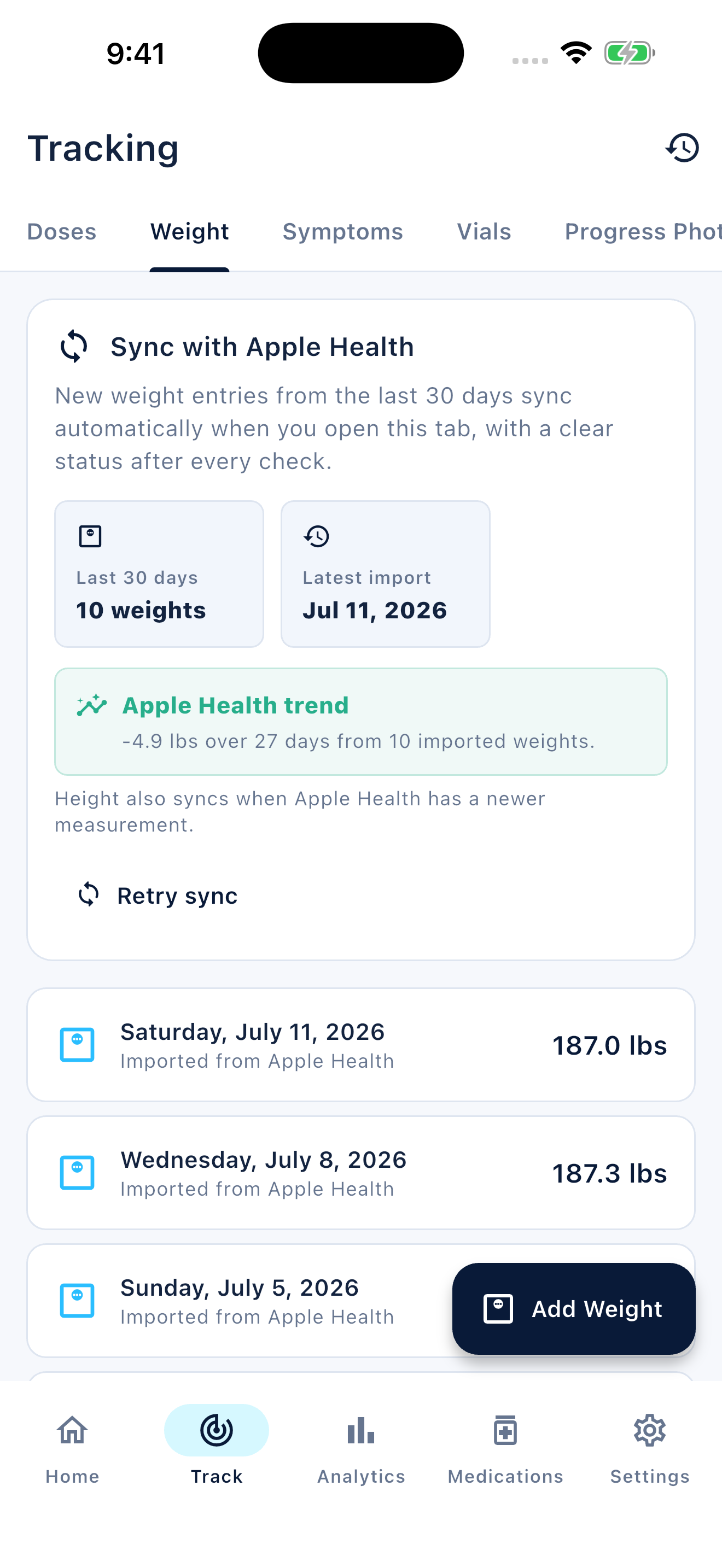
Write the date and time with the value and unit so the entry remains understandable outside the app. Add the scale or source if it differs from your usual record. If you enter the value later, retain the measurement date rather than accidentally making it a reading for the day you typed it.
Choose a measurement approach with your care team when monitoring is part of your care. The example below is a seven-day record review with only three readings. It deliberately does not model a required weighing frequency or an expected amount of weight change.
| Day | Measurement | Context or record status |
|---|---|---|
| Monday | 85.4 kg; 7 am | Home scale; recorded at the time |
| Tuesday | No reading | No measurement; not zero |
| Wednesday | 85.7 kg; 8 pm | Different scale while away; retain the label |
| Thursday | No reading | No measurement |
| Friday | No reading | No measurement |
| Saturday | 85.3 kg; 7:10 am | Home scale; recorded at the time |
| Sunday | Review only | Checked dates, units and the different-scale note |
Check duplicates and chart inputs before summarizing
If you enter measurements manually and also use a health integration, check whether two rows may describe the same weigh-in. Compare timestamps, units and the listed source before counting them as separate observations. Do not assume matching numbers are duplicates without checking the underlying records.
A spreadsheet can graph these dated values, and an app can display a trend. Neither can supply readings that were never taken. Retain gaps and the different-scale note. If units change, keep the original value and use a reliable conversion method rather than relabeling the number; your chart should make the unit clear.
End the week with a factual record note
For this example, the weekly note is: Three readings recorded; Wednesday used a different scale and time; no readings on the other days. That is enough to explain the coverage. It does not need a conclusion about the cause of the differences or whether medication should change.
Keep any symptom, hunger or travel entry under its own date. Mention a concern to your clinician without waiting for a more visually convincing chart. If frequent checking becomes distressing, raise that too and ask which recordkeeping approach is appropriate for you. More measurements are not automatically more useful for every person.
Inside the app
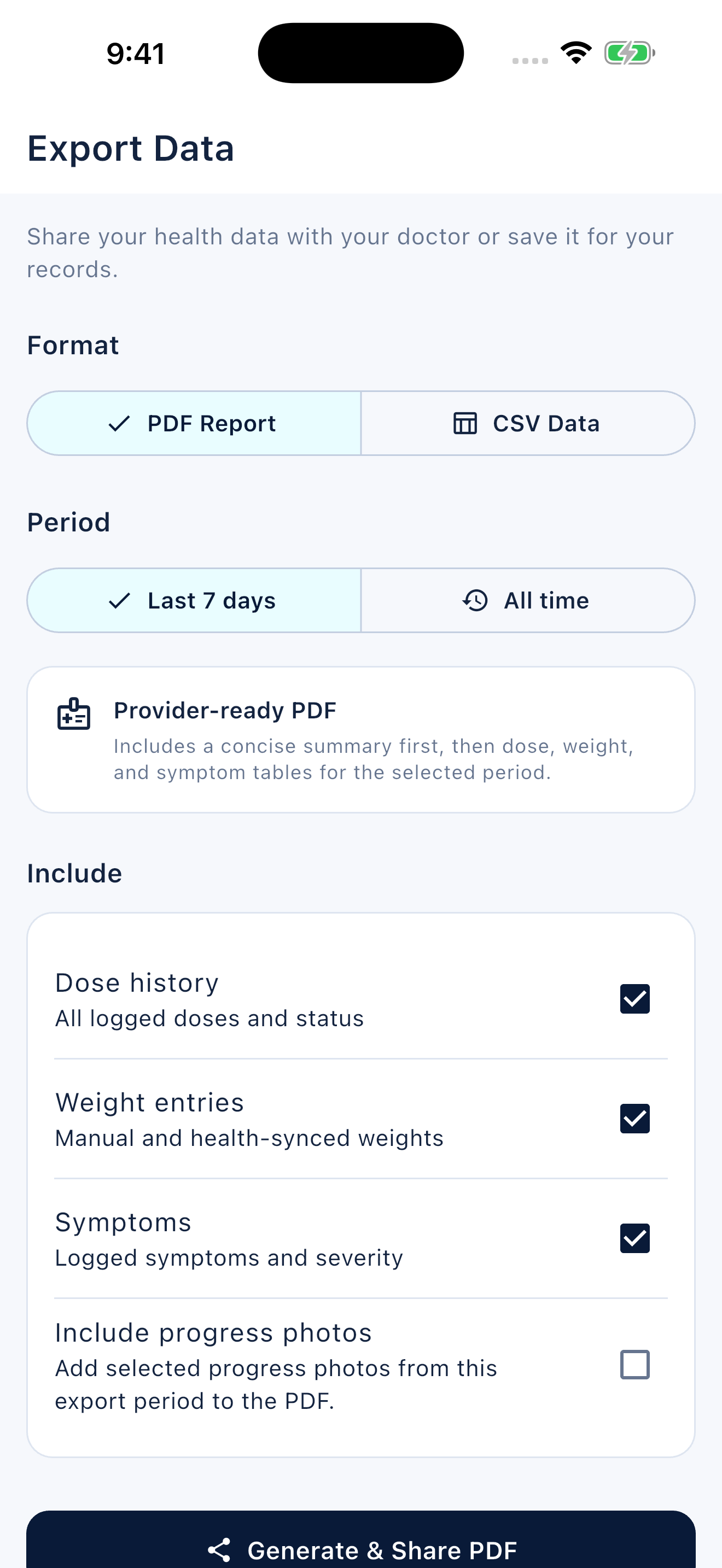
Peptiva supports weight entries and charts, and its iOS implementation can import measurements from Apple Health when enabled. Check the source and date on imported entries. Use notes for changed conditions instead of assuming a trend view contains all relevant context.
Free download with optional in-app purchases. See your store for current prices, subscriptions and terms.
A good weekly record keeps values, units, sources and gaps clear. Its purpose is a readable history, not a verdict on your body or medication.
FAQ
Common questions
No. Weekly refers to reviewing your records, not a required measurement frequency. Follow any monitoring plan agreed with your care team.
Leave it missing. Do not enter zero, copy another day or estimate a value to keep a chart continuous.
A personal chart displays recorded measurements, not a clinical assessment. Bring questions about treatment response to your clinician with the timeframe and context.
