
Peptiva guide
Best GLP-1 Tracker for Your Needs: Criteria, Not an Independent Ranking
A producer-disclosed guide to comparing a notebook, spreadsheet and Peptiva using logging, reminders, exports, accessibility and privacy criteria.
Educational only. Not medical advice.
The best GLP-1 tracker for your needs is the format that lets you keep accurate records, find uncertainty and share only what you intend. This is a criteria guide from Gaia Super Lab, Peptiva's maker, not an independent ranking. We have not tested competing apps or established better medical outcomes.
- Compare a notebook, spreadsheet and app against the same tasks.
- Use fictitious information while checking usability and exports.
- Keep medication decisions outside the comparison.
Peptiva feature descriptions here were checked against its product implementation and official store listing, not an independent usability or privacy audit. Store information and installed versions can differ. A medicine's instructions remain authoritative regardless of the record format; MedlinePlus is a starting point for semaglutide-specific patient information.
Compare tasks rather than count features
Start with what you need to retrieve: an actual event, its site, a symptom note or a report. A long feature list is not helpful if you cannot tell a reminder from a completed entry. Check how each approach represents missing details, because a tidy-looking record can still contain guesses.
This table compares general recording methods with verified Peptiva capabilities. It is not a scored league table. Spreadsheet notifications depend on the software or a separate reminder, and cloud behavior depends on where you keep the file.
| Task | Notebook | Spreadsheet | Peptiva |
|---|---|---|---|
| Dated event and context | Write a repeatable template | Use columns and notes | Structured event records and notes |
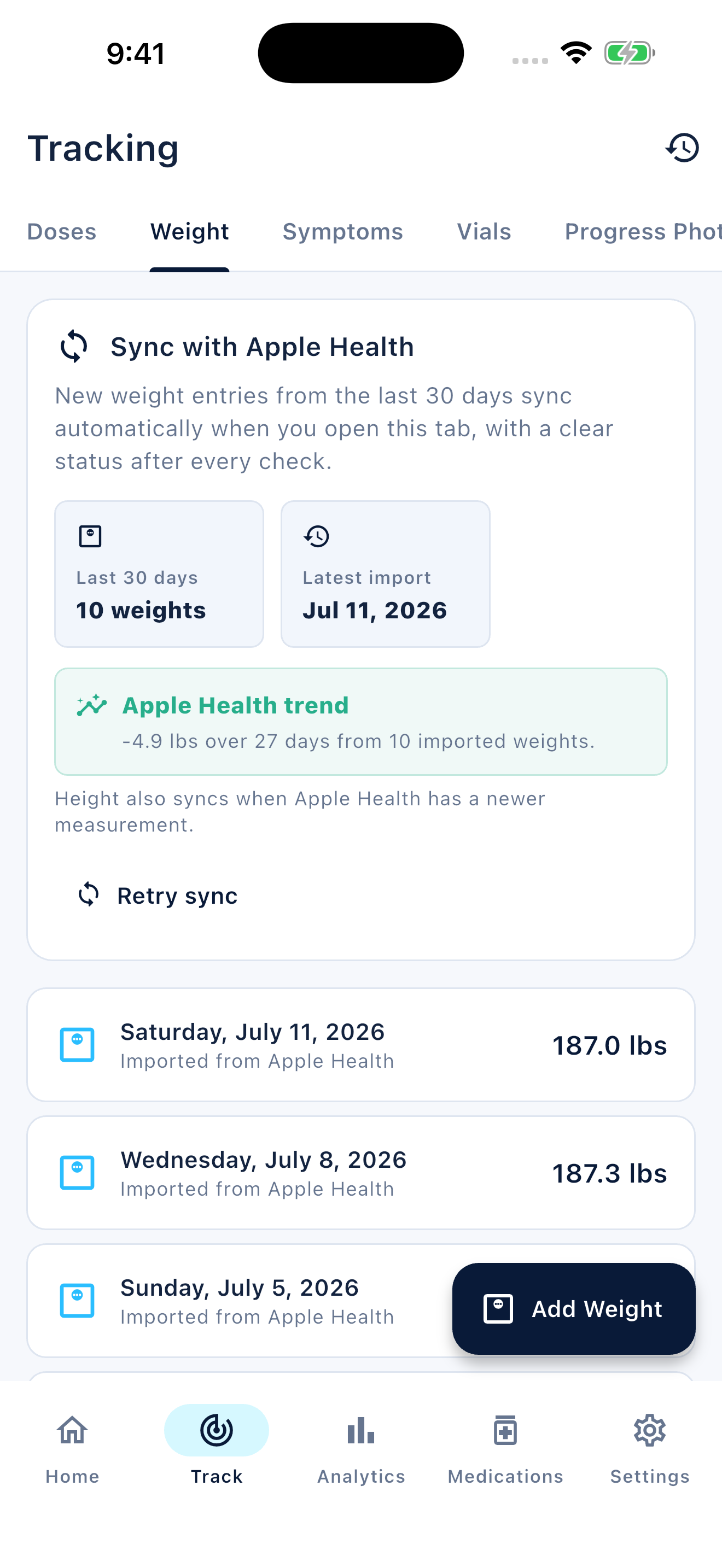
| Weight chart | Draw manually if useful | Create a chart from dated rows | Weight tracking and charts |
| Reminder | Use a separate alarm | Separate alarm or software-specific setup | Medication reminder settings |
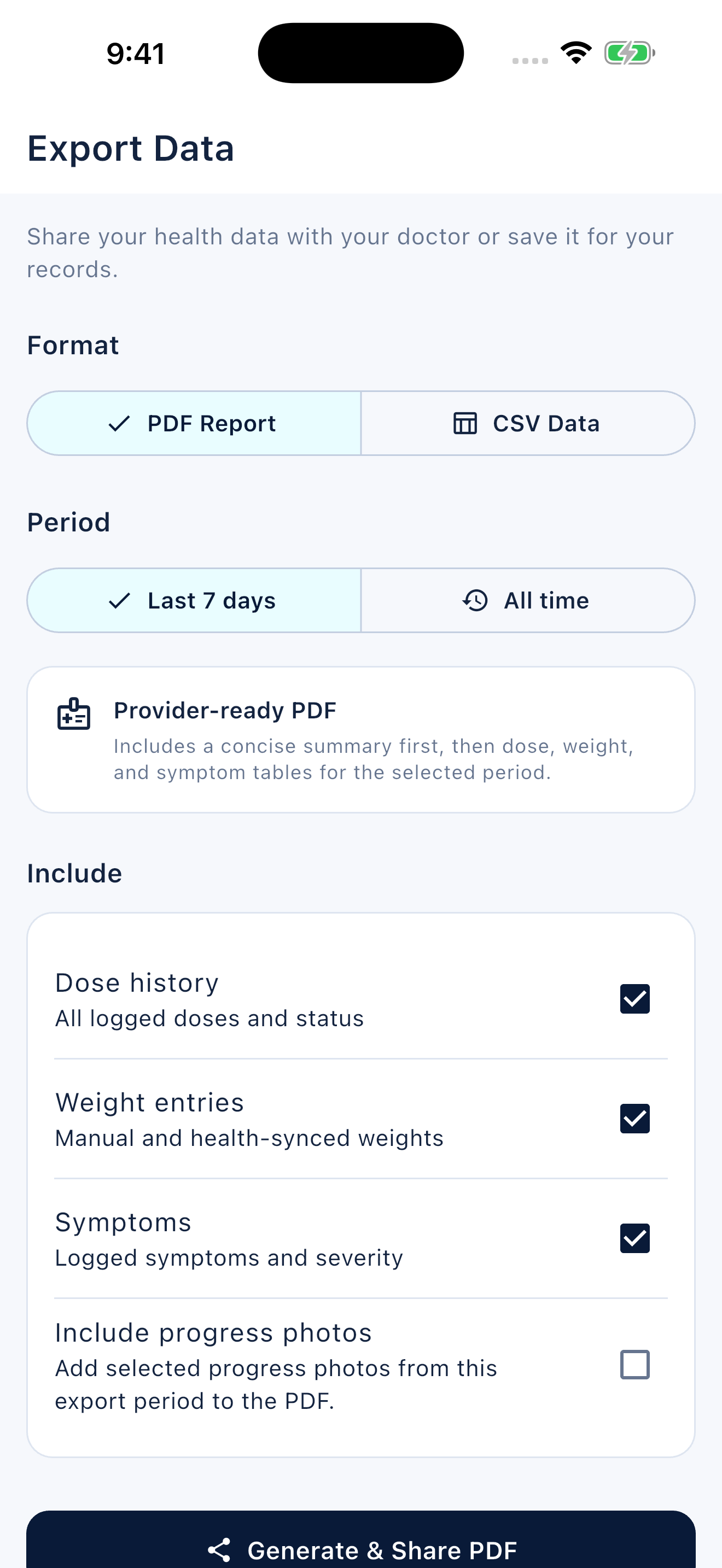
| Share a summary | Bring selected pages | Choose rows and export using your software | PDF/CSV routes with period and access limits |
| Uncertainty | Write it explicitly | Use an uncertainty column | Journal note; no dedicated uncertain dose state |
Try one realistic fictitious task
Fictitious example, not app data: Jordan wants to record a confirmed September 1 event, leave September 8 uncertain and bring two symptom notes to an appointment. On paper, Jordan marks the uncertain date in words. In a spreadsheet, Jordan uses separate planned and confirmed columns. In Peptiva, Jordan keeps uncertainty in a journal note rather than inventing a taken event.
Try that same task with dummy information before committing to a system. Can you find the unresolved date later? Can you read the text comfortably and navigate with your usual accessibility settings? Does the exported record preserve the distinction? These are personal checks to perform, not test results we claim for any product.
Evaluate privacy and limits before choosing
A paper notebook can be seen by someone with physical access; a spreadsheet may be local or stored in a shared cloud account. For an app, review permissions, lock-screen previews, store privacy disclosures and export destinations. Local-first tracking does not mean that no app information ever leaves the phone.
Peptiva offers injection, weight and symptom records, reminders and PDF/CSV output. Check current entitlement requirements and available periods. Its App Store privacy disclosure includes analytics-related data categories. No choice here is a dosing tool, a clinical assessment or a guarantee that an event will not be missed.
Inside the app
Peptiva may suit someone who wants structured records and reminders together. A notebook or spreadsheet may suit someone who prefers a self-designed format. Choose based on the tasks you can actually complete and the privacy trade-offs you understand, not our role as the producer.
Free download with optional in-app purchases. See your store for current prices, subscriptions and terms.
Best is a fit question here, not an award. Test the recordkeeping workflow and verify its limits before entrusting it with your health notes.
FAQ
Common questions
No. Gaia Super Lab makes Peptiva and publishes this guide. It compares recordkeeping approaches using stated criteria, without a tested competitor ranking or clinical performance claim.
Yes. A notebook can hold a clear timeline, and a spreadsheet can organize rows and create charts. The useful choice depends on your workflow, reminder needs and sharing preferences.
Try a fictitious entry, an uncertainty note, a correction and a sample export. Check text size, notification visibility, access restrictions and privacy disclosures before adding sensitive information.
