
Project Pop guide
Your First Pop: Tools, Daily Challenges and the PopDex in Project Pop
Get to know Project Pop, Gaia Super Lab's pimple-popping game for iOS and Android. Explore the campaign, unlock tools and try the Daily Challenge.
Some games ask you to settle in for hours. Project Pop starts with a much smaller moment: find a spot, build the pressure and enjoy the cleanup. It is Gaia Super Lab's pimple-popping game, available now on iOS and Android.
The appeal is in the interaction. You get close, press, see the skin respond and finish with a pop. Sound and haptic feedback help complete that moment. If you prefer a quieter session, adjust sound, music and haptics to your taste.
Start with the campaign
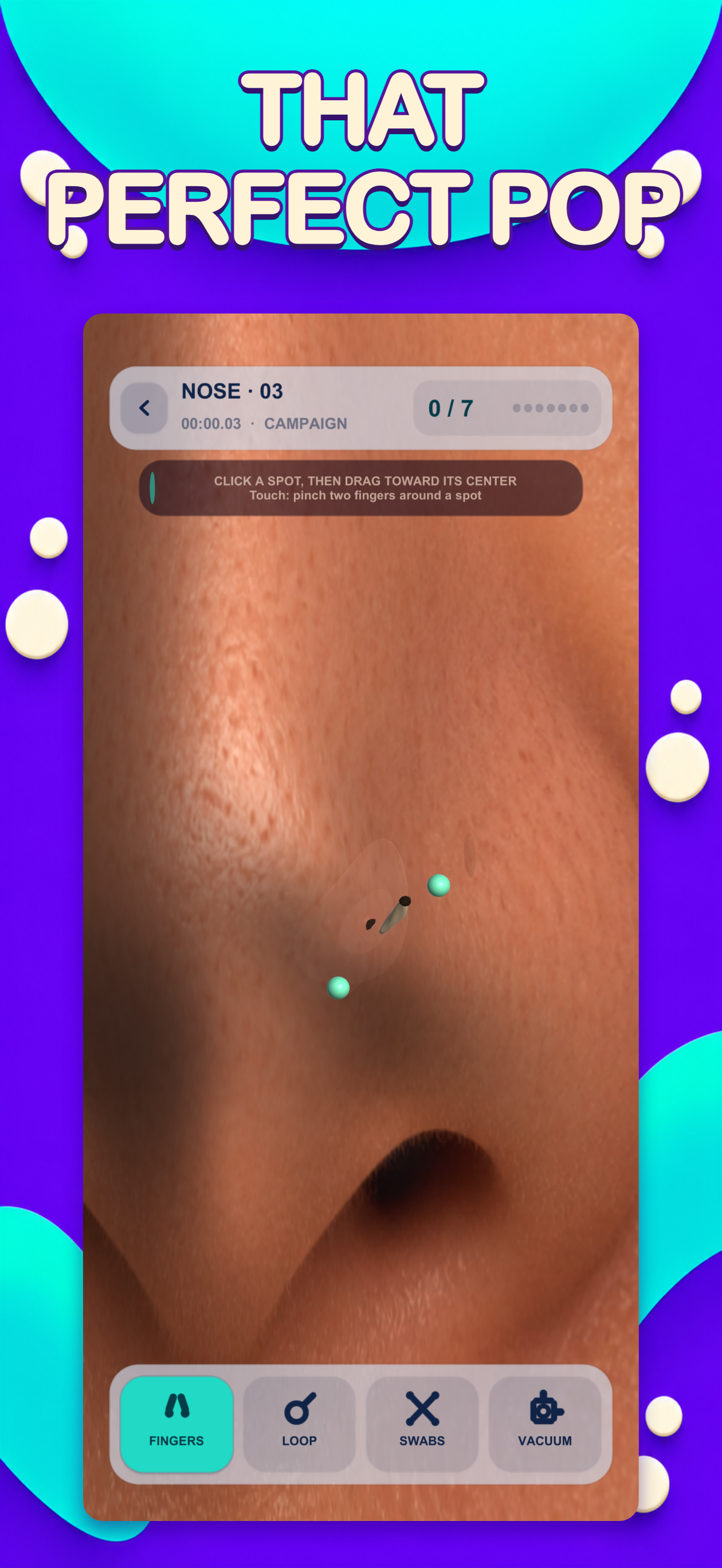
The campaign introduces different spots and skin areas as you play. Quick whiteheads, stubborn blackheads, ingrown hairs and double pops give you different challenges. Take a few levels at a time and get a feel for the pressure and cleanup before trying to improve your speed.
Progress stays on your device, and the campaign works offline. You do not need a Project Pop account to begin. That makes it easy to return for a short session when you have a spare moment.
Find your favorite tool
You start with your fingers. As you progress, you can unlock the extractor loop, cotton swabs and pore vacuum. Each is another way to approach a level and see which interaction you enjoy most.
There is no need to rush to the next unlock. Try the tools as they become available, pay attention to the feedback and choose the style that feels good to you. Project Pop is a game for entertainment; its tools and interactions are not instructions for real skin care.
Give the Daily Challenge a try
The Daily Challenge gives you a reason to return for a fresh attempt. You can work on your personal best times while adding discoveries to your PopDex. It is a useful change of pace when you want something shorter than another stretch of the campaign.
Your first attempt does not have to be your fastest. Learn the interaction, get comfortable with your tools and come back when you want to try again.
Know how ads and purchases work
Project Pop contains ads. An optional one-time purchase removes ads between levels. Rewarded ads for hints remain optional, even after that purchase. Ads, purchases and restoring a purchase require an internet connection, while the campaign can be played offline.
Check the store page for the current price, age rating and device compatibility in your region. Those details can vary, so the store is the best place to confirm them before downloading or buying.
Ready for your first pop?
Download Project Pop for iOS or Android, start with the campaign and try a few levels. When you feel like a new challenge, open the Daily Challenge or see what is waiting in your PopDex.
For help with the game, visit Project Pop support. For details about data and services used by the app, read the privacy policy.
FAQ
Common questions
Yes. Project Pop is available on the App Store and Google Play. Follow the download links to check device compatibility and availability in your region.
The campaign works offline and saves progress on your device. Ads, purchases and purchase restoration require an internet connection.
The optional one-time purchase removes ads between levels. Rewarded ads for hints remain optional, including after purchase.